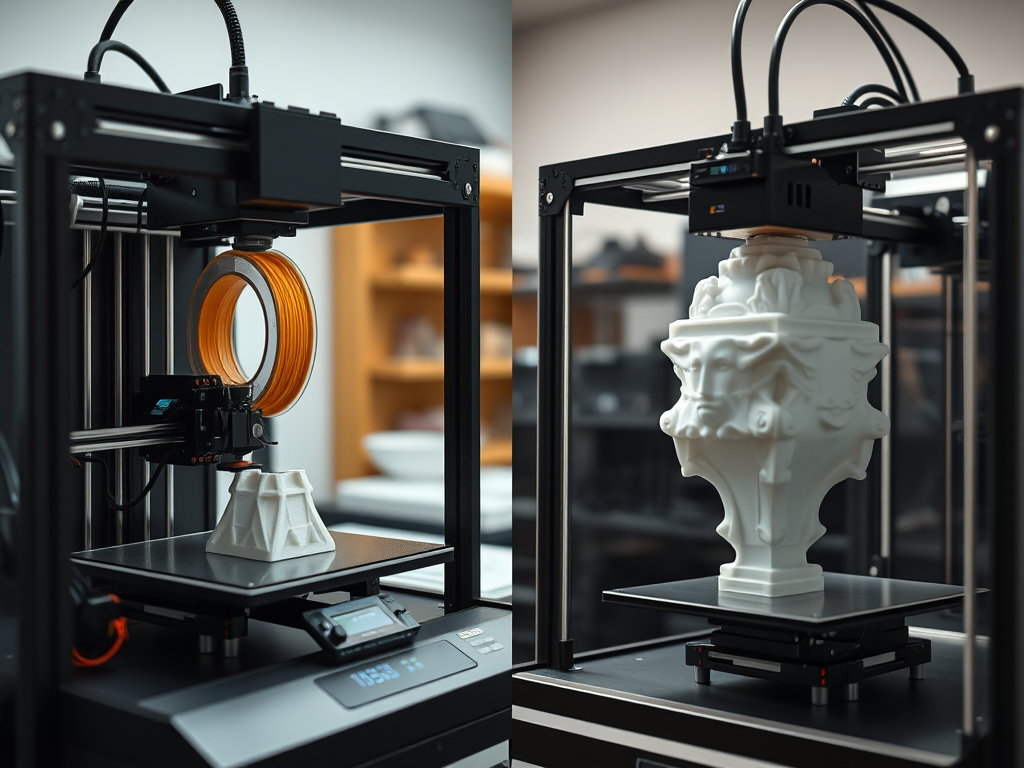
3D printing has evolved rapidly in the last decade, making it more accessible and diverse than ever. Two primary technologies dominate the consumer market: Fused Deposition Modeling (FDM) and resin-based printing (commonly SLA, MSLA or DLP). Both offer unique advantages and challenges, and choosing the right one depends on your needs, goals, and budget.
🛠️ How They Work
FDM (Filament-Based Printing)
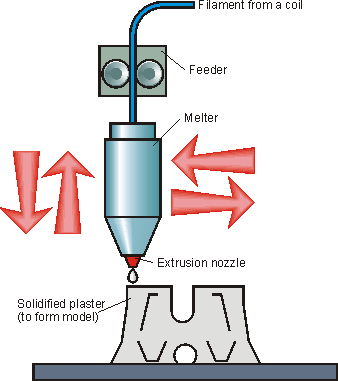
FDM printers work by heating a thermoplastic filament. They extrude the filament through a heated nozzle, layer by layer. This process forms an object. A stepper-motor-controlled gantry moves the nozzle (or the print bed) in X, Y, and Z axes.
Key technical points:
- Layer height: typically 0.12 mm to 0.28 mm
- Print speeds: 40–100 mm/s
- Materials: PLA, PETG, ABS, TPU, Nylon, PC, CF-reinforced blends
- Best for: mechanical parts, prototyping, enclosures, functional prints

Resin Printing (SLA, MSLA, DLP)
Resin printers use light (UV lasers or LCD screens) to selectively cure liquid photopolymer resin, one layer at a time. Objects are printed upside down, lifted slowly from a vat of resin as each layer cures.
Key technical points:
- Layer height: typically 0.025 mm to 0.05 mm
- Print speeds: 2–6 seconds per layer (not affected by model size)
- Materials: standard resin, ABS-like, tough, flexible, dental, castable, high-temp resins
- Best for: highly detailed miniatures, dental applications, jewelry, molds, prototypes

🧱 What Does It Mean That a 3D Model Prints “in Layers”?
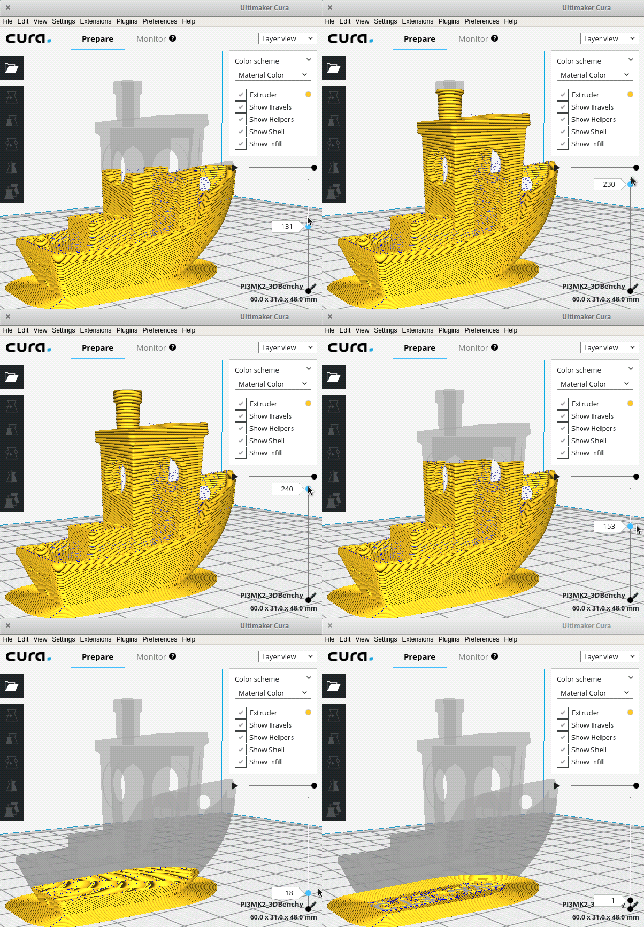
In 3D printing—whether you’re using FDM (Fused Deposition Modeling) or resin-based technologies—the core principle is additive manufacturing. This means the object is created by adding material layer by layer. It starts from the bottom up. This is different from cutting or molding from a solid block.
🧩 Slicing a Model: How It Works
Your 3D model (usually an .STL or .3MF file) doesn’t print as one solid object. Instead, a slicer software divides it into many horizontal slices. Each slice shows a cross-section of the model at a specific height.
Each slice becomes an instruction for what to print at that layer. The typical layer thickness ranges from 0.08 mm to 0.28 mm, depending on the printer and desired print quality.
🧵 FDM Printing: Stacking Layers from the Ground Up
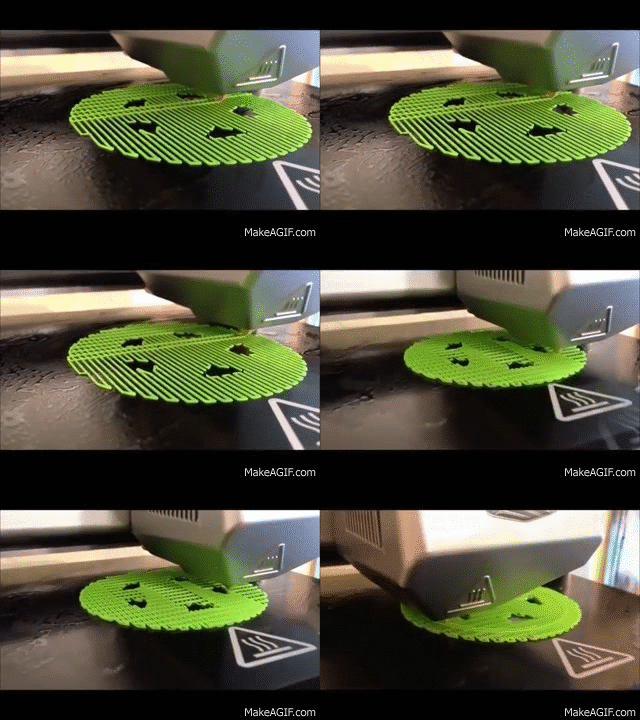
In FDM printing, a heated nozzle extrudes melted plastic (filament) onto a print bed. The extruder traces the 2D shape of the current layer. Then, the print head or bed moves up along the Z-axis. The next layer is deposited.
Each layer builds upon the one below it—a mechanical stacking process.
🛠️ Support Structures in FDM
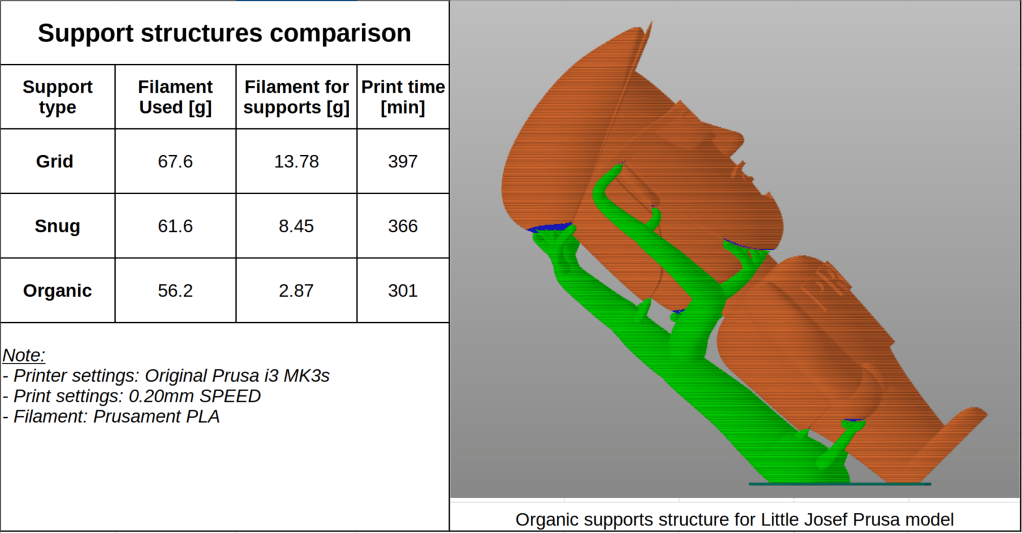
Since FDM builds upward, any part of the model that overhangs without support underneath can sag or fail. The slicer adds support material underneath these areas to hold them up.
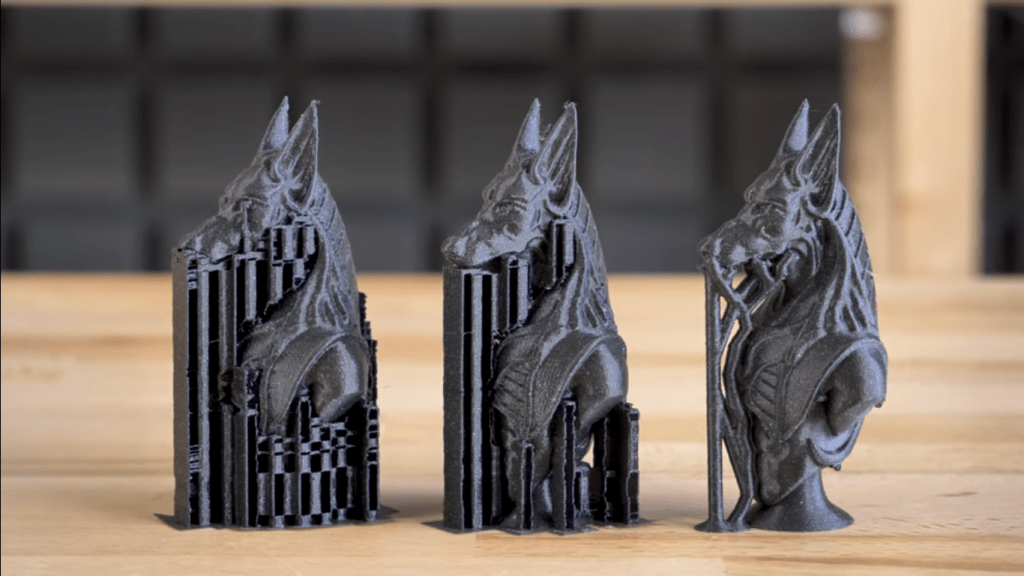
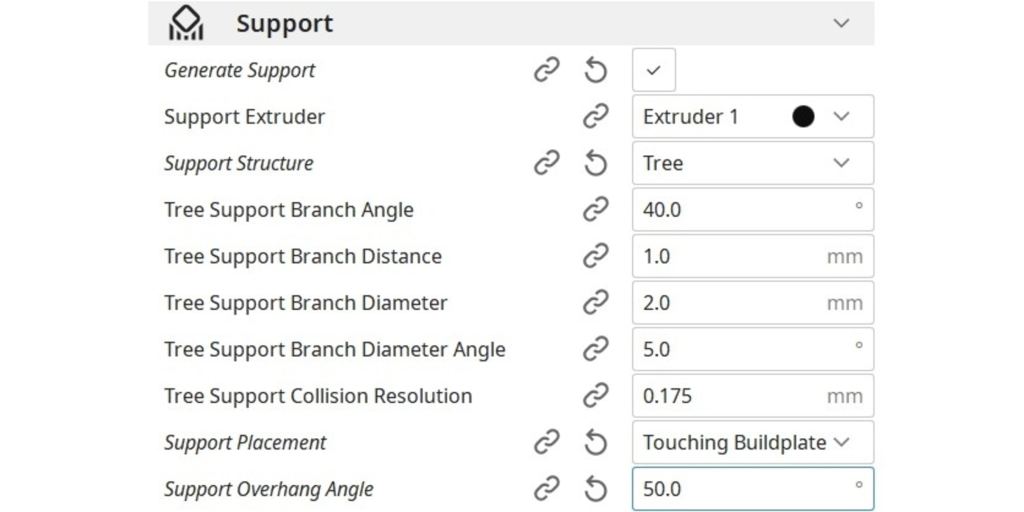
In slicers like Cura, PrusaSlicer, or Bambu Studio, you can set:
- Support angle threshold (e.g., generate supports only for overhangs above 45°)
- Support density and pattern
- Whether supports touch the build plate or the model itself
- You can even choose to print supports in another material (different from the object) so you can remove them easier
💧 Resin Printing: Lifting Layers from Below
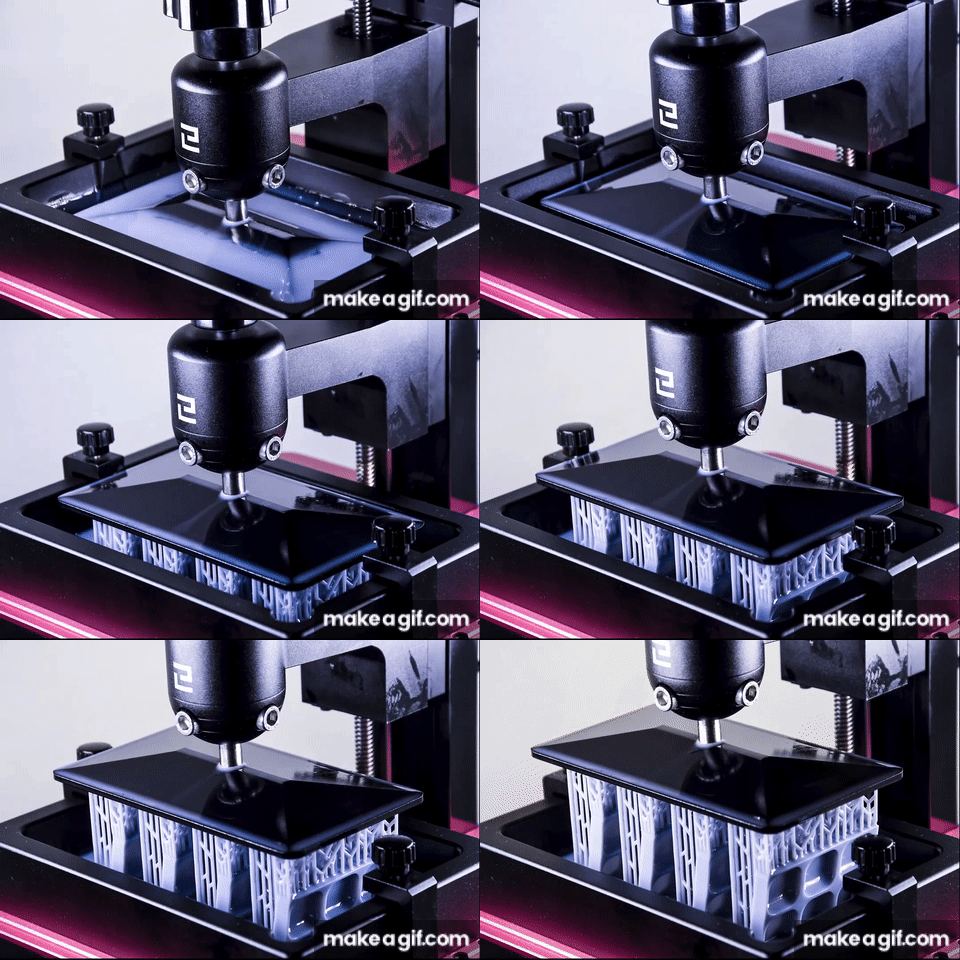
In resin printing (SLA or MSLA), the process is flipped. A build plate is submerged in a tank of liquid resin. A screen (LCD or laser) cures each layer from underneath using UV light.
The plate then lifts upward, peeling the cured layer off the screen, and lowers back down to repeat the process.
This creates the model upside down, almost as if it’s being pulled from the resin vat.
🛠️ Resin Support Structures
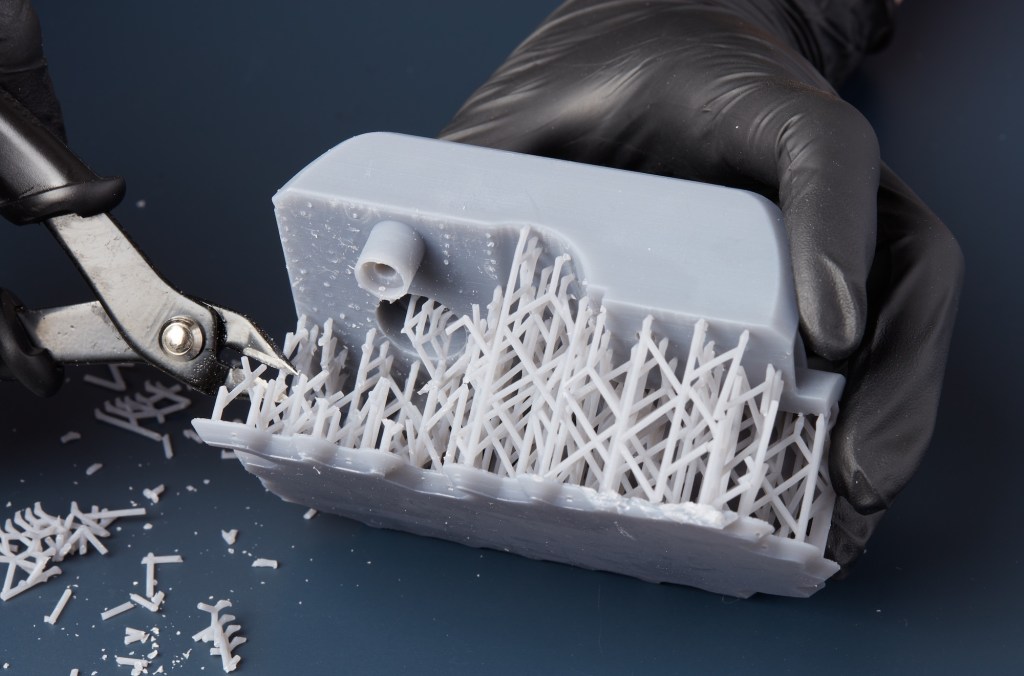
Because the model hangs from the build plate, supports in resin printing must hold up islands and overhangs from above. They’re often thin, spiky “trees” that prevent parts from detaching mid-print due to suction or gravity.
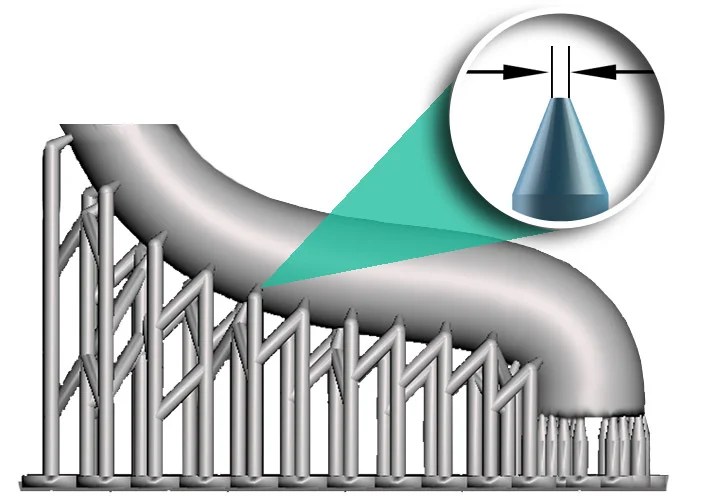
Slicers like Lychee, Chitubox, or Photon Workshop handle:
- Placement of contact points and support tips
- Detection of unsupported “floating” regions
- Estimation of suction forces per layer
Proper model orientation is critical. Bad angles increase the chance of failed prints, especially for flat surfaces or large surface areas.
⚙️ Key Differences Between FDM and Resin Slicers
| Feature | FDM Slicer | Resin Slicer |
|---|---|---|
| Output File | G-code | Machine-specific format (.cbddlp, .photon, etc.) |
| Layer Generation | Builds from the bottom, layer on layer | Cures from the bottom, model hangs upside-down |
| Supports | Printed under overhangs | Printed above hanging parts |
| Settings | Speed, temperature, retraction, cooling | Exposure time, lift speed, anti-aliasing |
| Visualization | Toolpath preview (lines) | UV exposure mask preview (solid slices) |
This foundation is key to understanding which technology suits each application, and how to improve your models for success. In the next section, we’ll dive into:
- 📦 Material properties: strength, temperature resistance, flexibility
- 🧪 Resin vs filament types: PLA, PETG, ABS, flexible, tough resins, castable
- 🎯 Use-case scenarios: which to use for functional parts, artistic models, prototypes, or casting molds
🧪 Material Properties Comparison
| Property | FDM (Filament) | Resin |
|---|---|---|
| Detail Resolution | Moderate (~0.12–0.2 mm) | High (~0.025–0.05 mm) |
| Strength (General) | High with certain materials | Brittle (unless using Tough/Flexible resins) |
| Heat Resistance | Up to 110°C (Polycarbonate, Nylon, ASA) | Up to 120°C (high-temp resins) |
| Post-Processing | Minimal (support removal, sanding) | More involved (washing, curing, sanding) |
| Cost of Materials | Low ($20–40/kg) | Medium to high ($40–100+/L) |
| Printer Maintenance | Low | Moderate to High (resin cleanup, safety) |
| Ease of Use | Beginner-friendly | Steeper learning curve |
🧵 Filament Types & Applications
- PLA: easy to print, biodegradable, ideal for prototypes and decorative prints
- PETG: stronger than PLA, more flexible, chemical resistant
- ABS: high-temp resistance, tougher, but requires enclosure
- TPU: flexible, rubber-like prints
- Nylon: durable, wear-resistant, ideal for gears and tools
- Polycarbonate (PC): extremely strong, high-temp, demanding to print
🧴 Resin Types & Use Cases
- Standard Resin: affordable, good detail, but brittle
- Tough Resin: better impact resistance
- Flexible Resin: rubber-like flexibility
- ABS-like Resin: better mechanical properties
- Dental/Castable Resin: used for precision applications
- High Temp Resin: usable for molds or high-stress environments
🧠 Real-World Use Cases
FDM Examples:
- Prototyping mechanical parts for testing
- Cosplay props, helmets, armor
- Phone stands, desk organizers
- Mounting brackets, enclosures
Resin Examples:
- Tabletop miniatures with ultra-fine details
- Dental aligner molds
- Jewelry masters for lost wax casting
- Figurines, busts, collectibles
[Insert side-by-side photos of the same object printed in FDM and resin]
⚖️ Pros and Cons Summary
FDM Printing
Pros:
- Affordable printers and materials
- Durable functional prints
- Safer and cleaner to run
- Large build volumes available
Cons:
- Lower surface quality and detail
- Support removal can be rough
- Warping and layer adhesion issues with some filaments
Resin Printing
Pros:
- Exceptional detail and smooth surfaces
- Ideal for small intricate parts
- Fast layer printing regardless of model size
Cons:
- Messy and requires careful handling
- Post-processing is time-consuming
- Resins can be toxic or irritating if mishandled
🎯 Which One Should You Choose?
| You should choose… | If you… |
| FDM | Want functional parts, large prints, or inexpensive prototyping |
| Resin | Need fine detail, smooth surfaces, or produce small intricate parts |
📚 Further Reading & Resources
- Intro to 3D Printing: FDM vs Resin – Prusa Blog
- Best Resins for 3D Printing – All3DP
- Comprehensive Filament Guide – MatterHackers


Leave a comment