Learn how to place and set up supports in resin 3D printing (SLA/DLP). Discover slicer tips, common mistakes, and best practices to improve your prints.
Introduction
When printing with resin, properly placing support structures is the difference between a successful print and a resin disaster. Resin printers like SLA or DLP work differently than FDM, and support configuration is a key skill.
In this guide, we’ll cover everything from what supports are and how they work. We will also include slicer tips and best practices. You will find personal anecdotes from real-world projects as well.
🔬 How Resin Printing Works (Quick Overview)
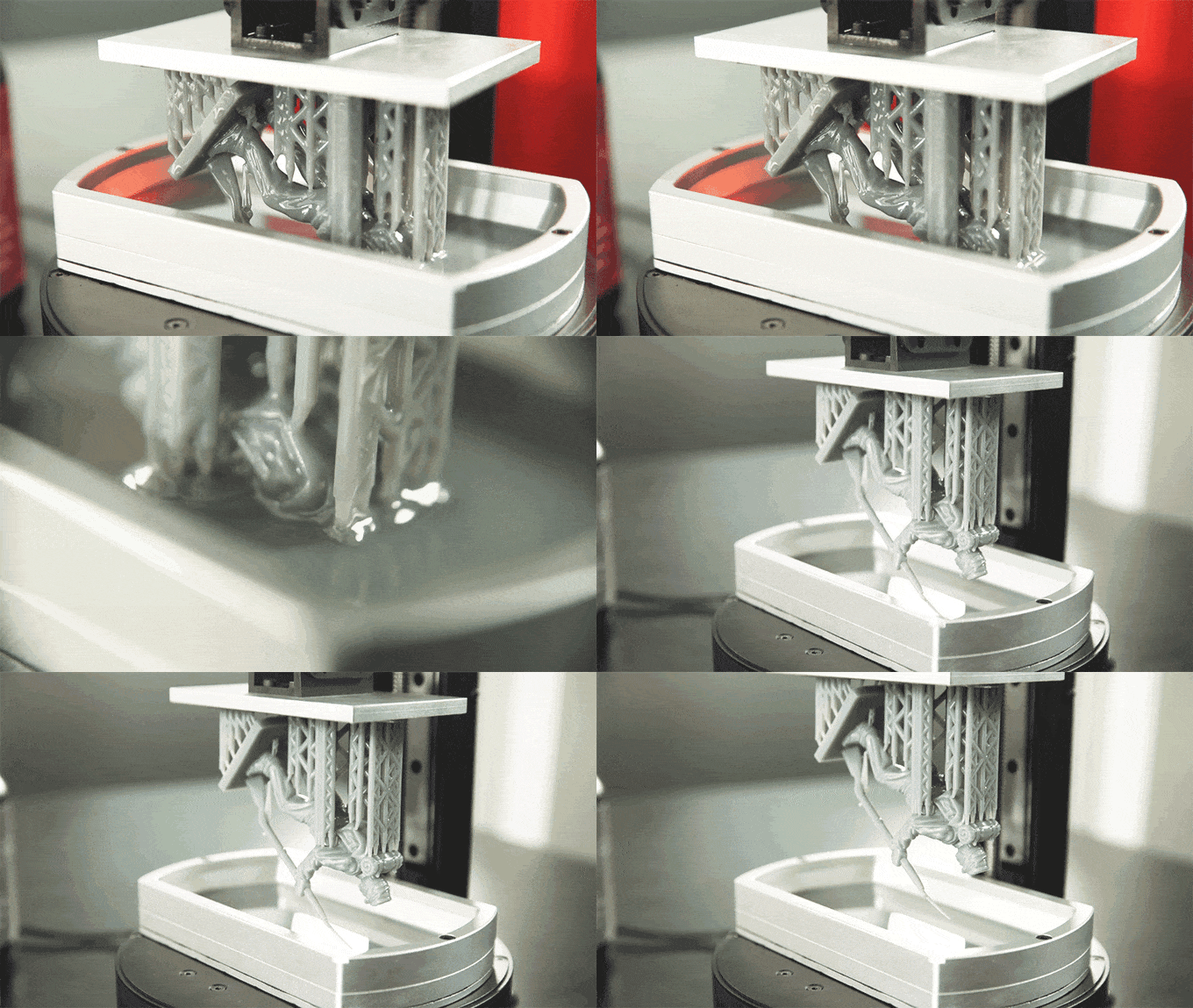
Resin printing works using photopolymerization, where UV light hardens liquid resin layer by layer. Unlike FDM, which builds from the bottom up, resin prints are “pulled” upside down, suspended from the build plate.
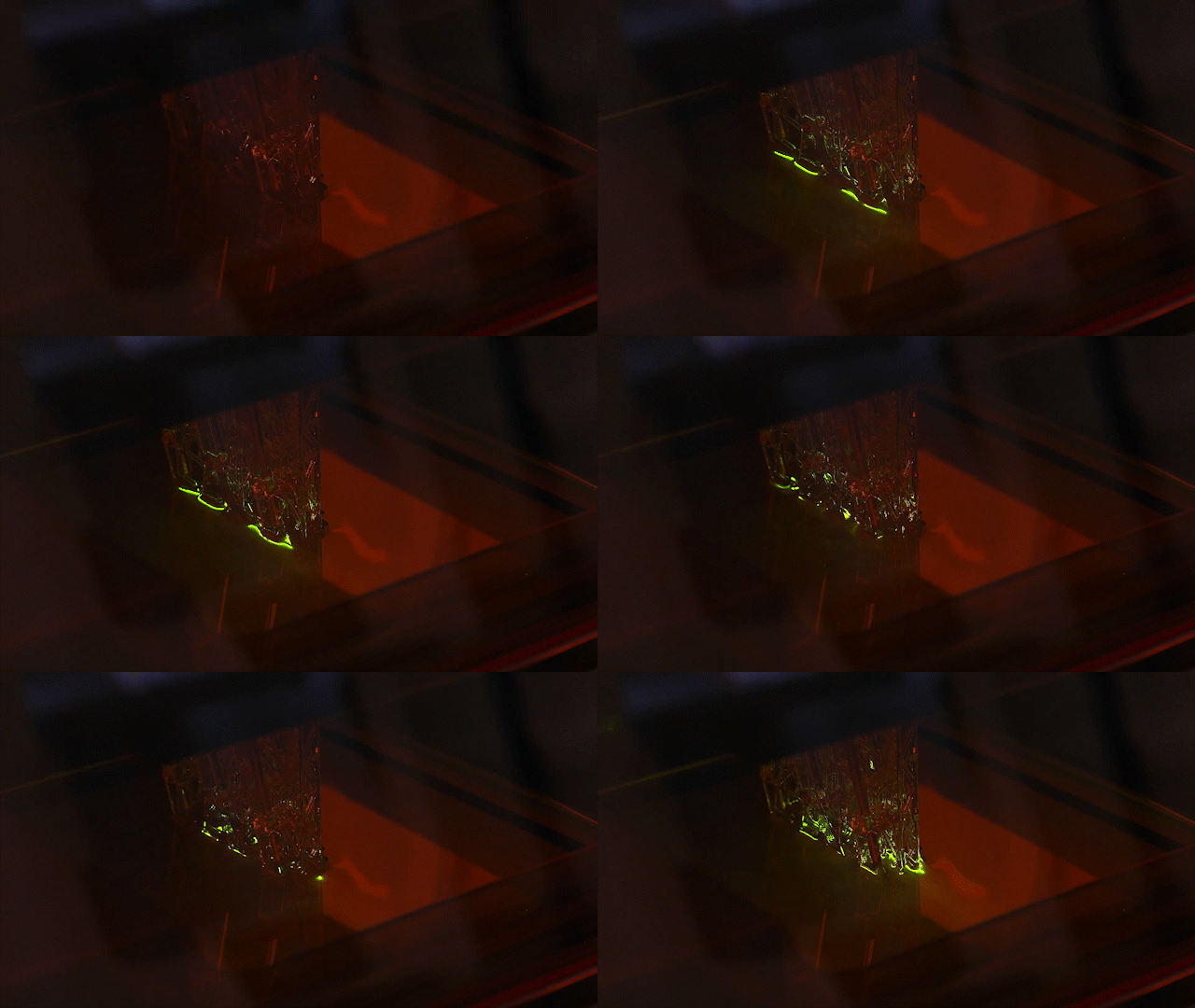
This reversed orientation makes support placement critical, especially for overhangs and delicate features.
🧱 What Are Resin Supports?
Supports in resin printing are temporary scaffolds that hold the model during printing. They’re required wherever parts of your model don’t have a direct connection to earlier cured layers.
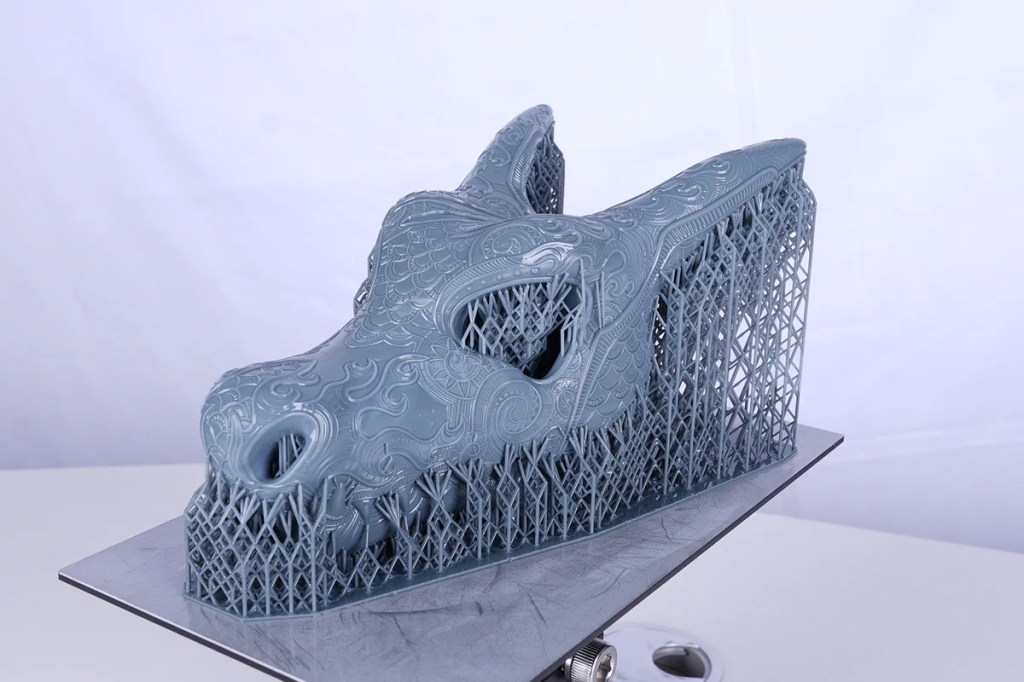
📌 Tip: Any “island” or floating area will fail without supports!

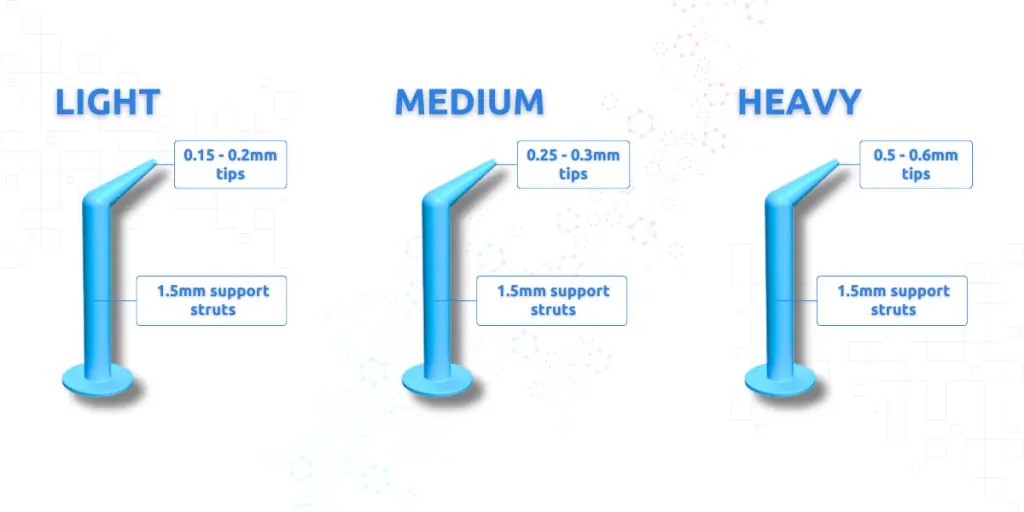
Types of supports:
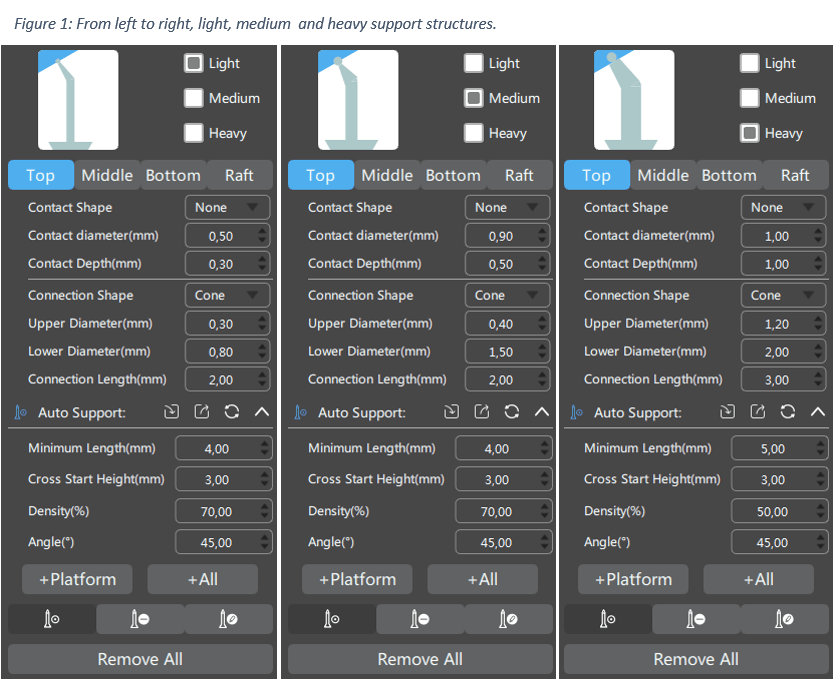
- Light supports – for fine tips and surface details
- Medium supports – general use
- Heavy supports – large overhangs or heavy objects
🧰 Support Settings in Slicers
Slicers like Chitubox, Lychee Slicer, or PrusaSlicer (resin mode) allow full control over support placement. Here’s what to configure:
| Setting | What It Does | Recommendation |
|---|---|---|
| Contact Diameter | Area that touches the model | Smaller for fine models |
| Tip Thickness | Affects ease of removal | 0.3–0.4 mm is ideal |
| Support Density | How many supports are used | Medium to start |
| Z Lift Height | How far supports stretch | ~5 mm is typical |
⚙️ Automatic vs Manual Supports
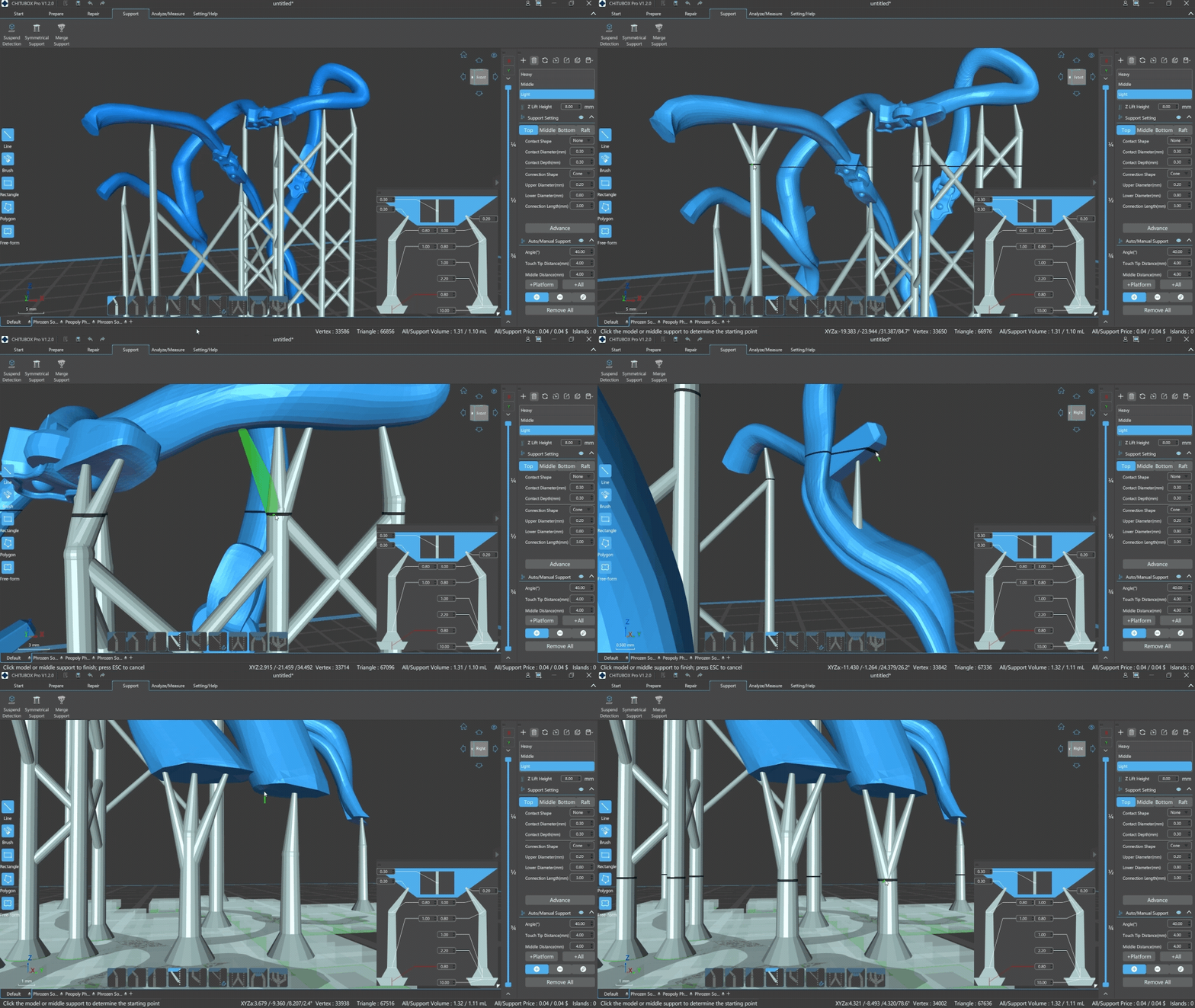
- ✅ Automatic: Good starting point, fast, but often over-supports your model.
- ✋ Manual: More precise, especially for miniatures and aesthetic prints.
💡 Personal tip: First, I usually generate auto supports. Then, I manually clean up unnecessary ones. I also add some where I think it’s critical. This saves time and material while avoiding marks on visible surfaces and also possible failed prints.
[Link to Chitubox user guide for support settings]
🧠 Understanding Layers and “Islands”
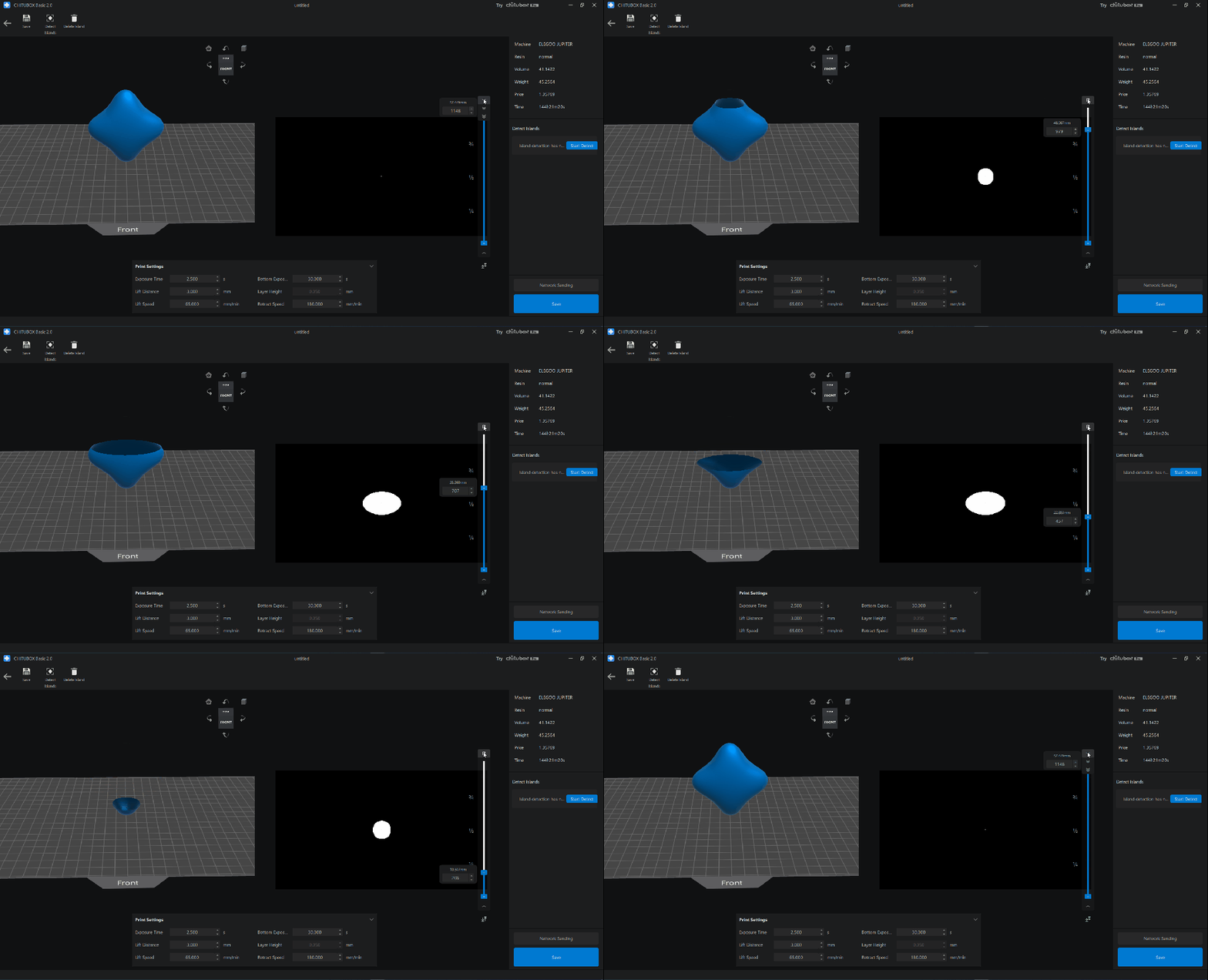
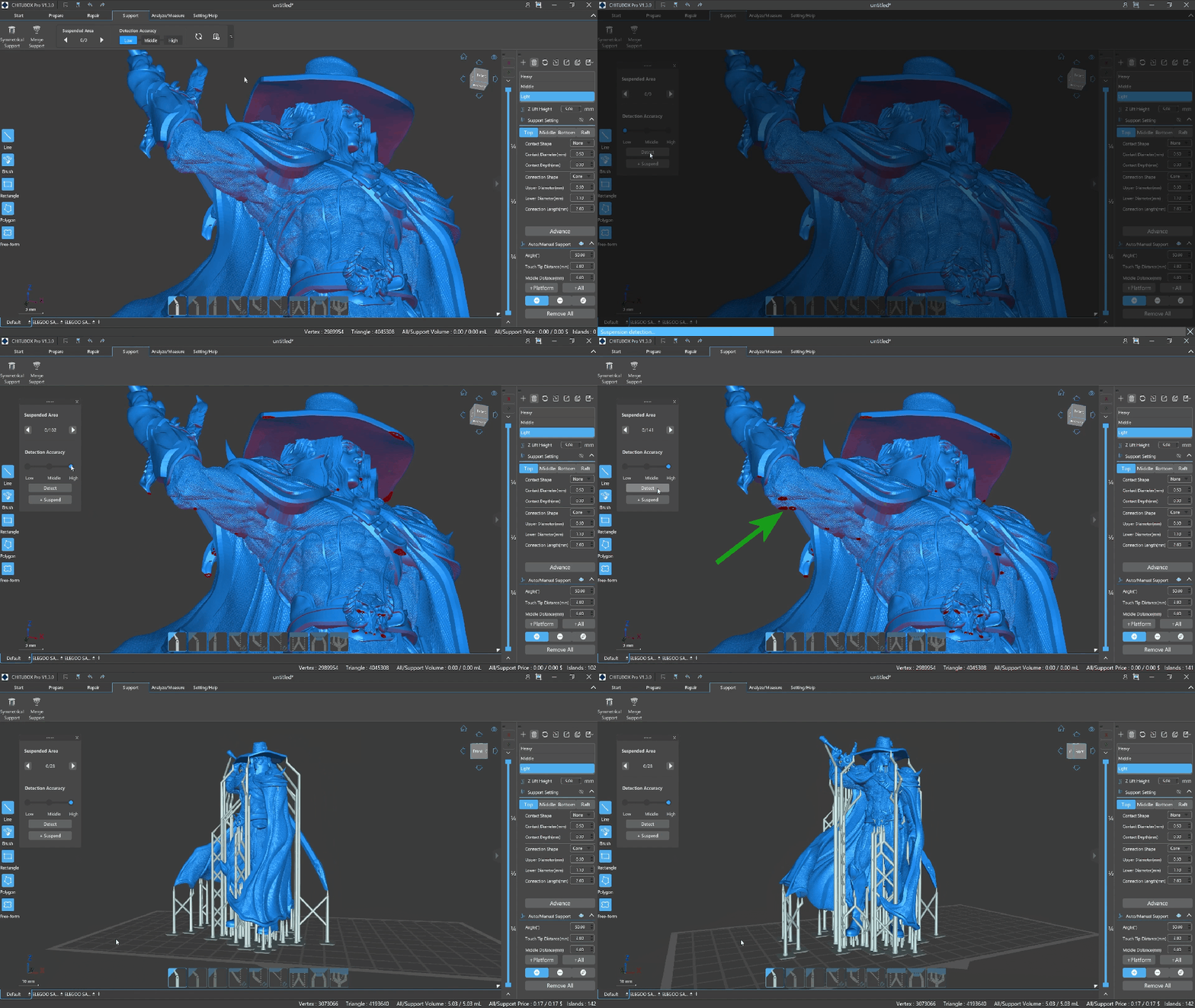
A 3D model is sliced into horizontal layers (like CT scans). Each layer must attach to something above or below. In resin printing, if a part of the model appears in one layer without attaching to the layer before, it becomes a floating island. This situation can cause failures.
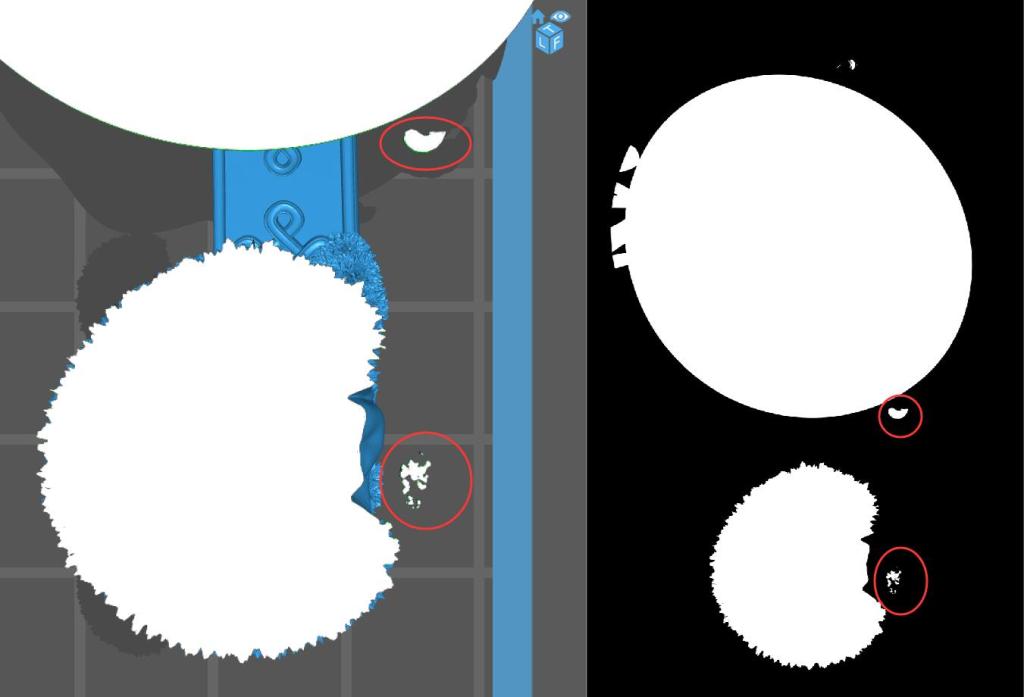
🧠 Fun fact: Some slicers like Lychee detect islands automatically and warn you before exporting.
🏗️ Support Orientation and Print Success
Because the printer pulls the model upward, supports have to counteract:
- Gravity pulling liquid resin down
- Suction forces from the FEP film
- Sudden release from the build plate
✅ Best practices:
- Tilt your model ~30–45° to reduce islands and reduce contact points
- Place heavier supports at stress points (hands, chin, weapons)
- Use “rafts” or bases to guarantee support stability
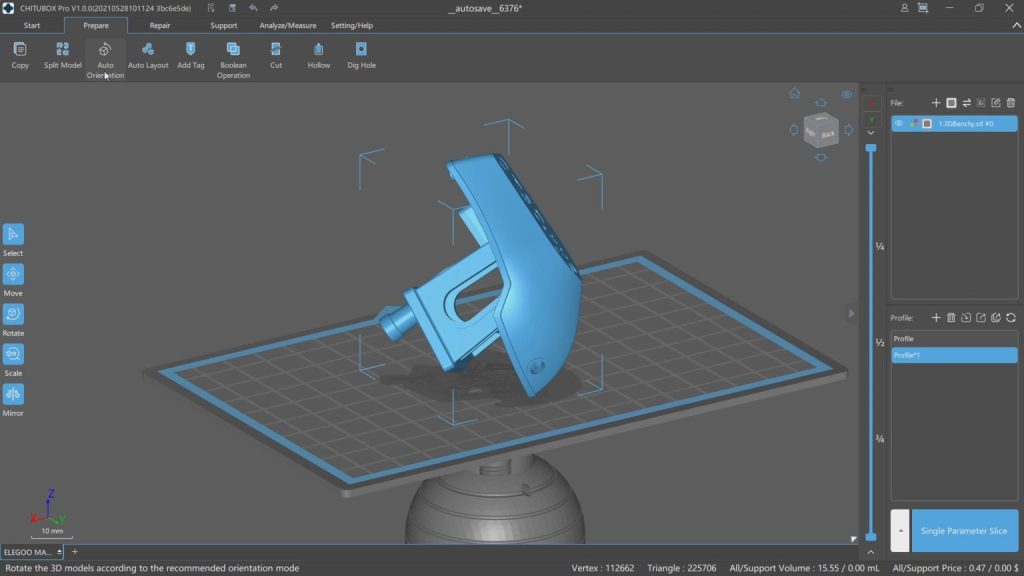
🧠 Pro tip: Some slicers like Chitubox offer “Auto Orientation” features. They analyze the model and rotate it automatically. This helps reduce the number of islands, reduce suction pressure, and improve support efficiency. It’s a great starting point—though manual adjustments are often still necessary for best results.
🧽 Removing Supports and Post-Processing
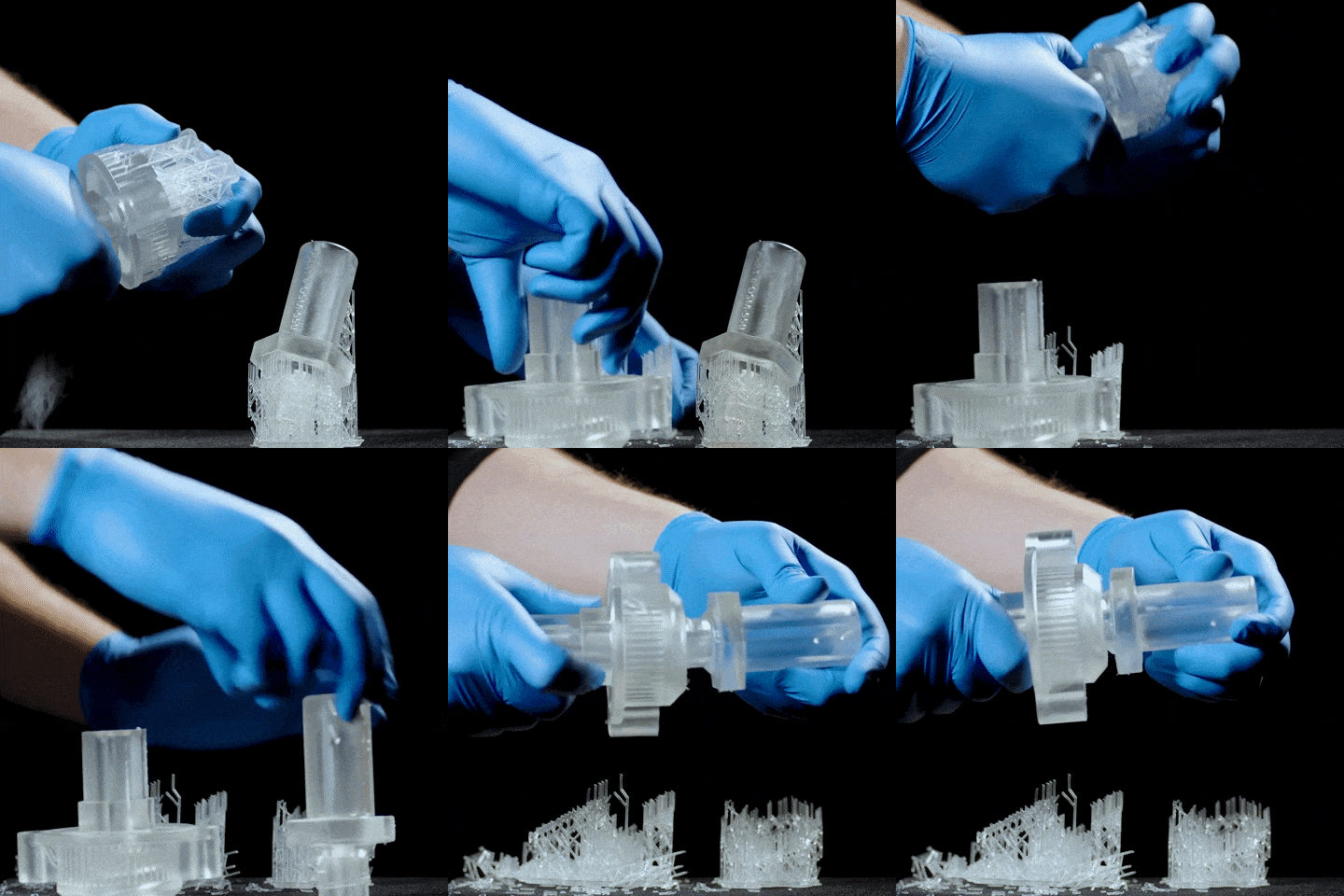
After curing, supports must be removed. Tools you’ll need:
- Flush cutters
- Isopropyl alcohol
- UV lamp
- Patience
💡 Tip: Warm water (if using water-washable resin) helps soften supports before removal.
💾 Downloadable Support Presets
Coming soon: [Download my support profiles for Chitubox and Lychee]
🔁 Related Articles
- FDM vs Resin: Which is Right for You?
- Beginner’s Setup Guide for Resin Printing
- How to Post-Process Resin Prints
🙋 Frequently Asked Questions (FAQ)
Q: Can I print without supports in resin?
A: Sometimes yes, but only for flat, very simple models. Most resin prints need supports.
Q: What’s the best support setting for miniatures?
A: Use light tips (0.3 mm), high density for small parts, and inspect islands manually.
Q: Why do supports fail even if they look fine in preview?
A: Be due to suction forces, thin supports, or poor adhesion to the plate.
Q: Are all slicers good for supports?
A: Chitubox and Lychee are most popular. Both offer smart auto-supports and manual tools.

Leave a comment