When it comes to 3D printing, choosing the right filament can make or break your project. With so many materials available—PLA, PETG, ABS, TPU, Nylon, and more—it’s easy to get overwhelmed. In this guide, we’ll walk you through the most common types of filaments. We will discuss their strengths and weaknesses. You’ll learn when to use each filament.
🟢 PLA (Polylactic Acid) – The All-Rounder
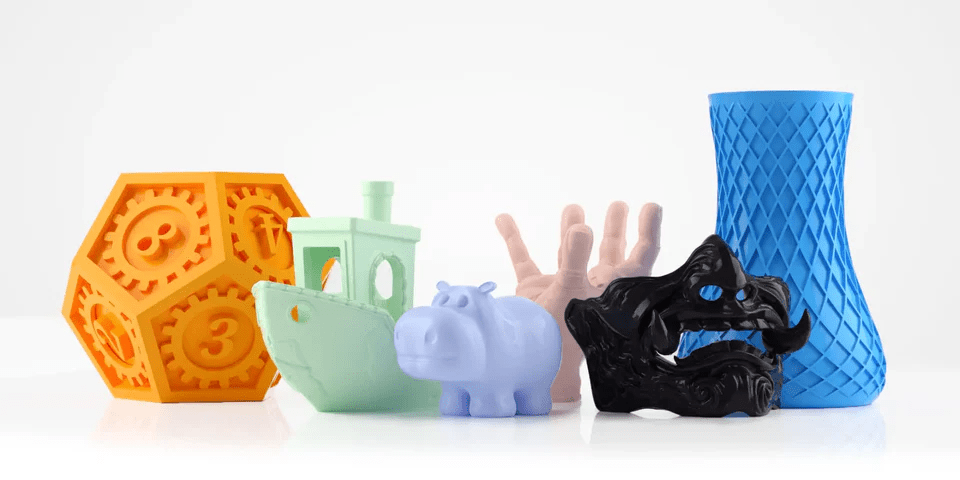
Best for: beginners, aesthetic models, low-stress functional parts
Pros:
- Easy to print, low warping
- Excellent dimensional accuracy
- Wide range of colors
- Biodegradable
Cons:
- Brittle under stress
- Poor UV and heat resistance
💡 Personal tip: PLA is still my go-to filament for quick prototypes and decorative models.
🔧 PLA Print Settings – Quick Reference Table
| Setting | Recommended Range | Notes / Tips |
|---|---|---|
| Nozzle Temperature | 190°C – 210°C | 200°C is a common sweet spot. Go lower for fine details, higher for strength. |
| Bed Temperature | 50°C – 60°C | PLA can be printed with a cold bed, but heated improves adhesion. |
| Print Speed | 40 – 60 mm/s | Go under 50 mm/s for better surface quality. |
| Layer Height | 0.12 – 0.24 mm | 0.2 mm is standard. Lower = better detail, higher = faster prints. |
| Retraction Distance | 4 – 6 mm (Bowden) / 1 – 3 mm (Direct Drive) | Too much can cause jams, too little leads to stringing. |
| Retraction Speed | 25 – 40 mm/s | Too fast wears out filament; too slow causes oozing. |
| Cooling Fan | 100% | Essential for bridging and sharp details. |
| Bed Adhesion Method | PEI, glue stick, tape, or hairspray | Clean bed surface = best results. |
| Flow Rate | 100% | Calibrate if you see over- or under-extrusion. |
| First Layer Height | 0.2 – 0.3 mm | Thicker first layer helps adhesion. |
| First Layer Speed | 20 – 30 mm/s | Slow = strong first layer foundation. |
💡 Pro Tips (From Personal Experience)
- 🧠 Always calibrate your e-steps and flow rate. Even small inconsistencies can ruin dimensional accuracy.
- 📏 Regular bed leveling is key. Most failed prints come from first layer issues.
- 🔥 Clean your nozzle. PLA can leave burnt residue after long print sessions.
- 🧪 Run a temperature tower. Even PLA varies by brand and color.
- 💨 Cooling is crucial. Without it, corners will curl and fine features will soften.
My Recommended PLA on Amazon
I’ve tested hundreds of PLA spools, and the ones below always give me dependable results — great colors, no clogging, and perfect first layers:
- Hatchbox PLA Filament – Black, 1 kg – My everyday workhorse. Always consistent, never clogs, and prints spot-on every time Amazon.
- Sunlu PLA Filament – Neat Wound Black, 1 kg – Excellent value and quality. It is one of the best-sellers. It has almost zero failed layers. AmazonAmazon EEUU.
- Elegoo PLA Filament – 1 kg, assorted colors – I love their color options and reliability. Perfect for visuals and models that really pop RedditAmazon.
🔵 PETG – The Tough Hybrid

Best for: functional parts, outdoor use, food-safe items
Pros:
- Stronger and more flexible than PLA
- Better heat resistance (~80°C)
- Excellent layer adhesion
- Some versions are food-safe
Cons:
- Slightly more stringing than PLA
- Can be finicky with retraction settings
💡 I switch to PETG when I need parts to be more durable but still easy to print.
🔧 PETG Print Settings – Ideal Configuration Table
| Setting | Recommended Range | Notes & Tips |
|---|---|---|
| Nozzle Temperature | 230°C – 250°C | 240°C is often the sweet spot. Avoid going below 230°C to prevent under-extrusion. |
| Bed Temperature | 70°C – 85°C | Essential to reduce warping. Try 80°C if adhesion is poor. |
| Print Speed | 40 – 60 mm/s | Slower speeds give cleaner prints; PETG tends to ooze more than PLA. |
| Layer Height | 0.12 – 0.28 mm | 0.2 mm works great for most applications. |
| Retraction Distance | 4 – 6 mm (Bowden) / 1 – 3 mm (Direct Drive) | Reduce compared to PLA to avoid stringing. |
| Retraction Speed | 20 – 35 mm/s | Slower is better to prevent clogs and blobs. |
| Cooling Fan | 30% – 60% | Avoid 100%—it may cause warping or poor layer adhesion. |
| Bed Adhesion Method | Glue stick, hairspray, PEI, or Kapton tape | PETG sticks very well—use a release agent to avoid damaging the bed. |
| Flow Rate | 95% – 100% | Slight over-extrusion is common; reduce flow if surface looks too glossy. |
| First Layer Height | 0.2 – 0.3 mm | Make sure solid contact without squishing. |
| First Layer Speed | 15 – 25 mm/s | Slower speeds = stronger adhesion. Crucial for warp-free prints. |
💡 Pro Tips (From My Own Bench Experience)
- 🧵 Stringing is your main enemy. PETG can produce a lot of fine wisps. Run a retraction test model and tune both speed and distance.
- 🧼 Wipe your nozzle regularly. Molten PETG likes to build up and may form blobs that fall into your print. Keep it clean between layers.
- 🧲 Use a release layer. I once cracked my glass bed by skipping the glue stick. Don’t make the same mistake!
- ⚙️ Calibrate e-steps and flow. PETG can vary in diameter across brands—don’t assume one profile fits all.
- 💨 Avoid crushing the first layer. Too much squish will bond PETG to the bed like cement. You want firm contact, not fusion.
PETG – My Recommended PETG on Amazon
PETG is my favorite “middle ground” filament: strong like ABS, but easier to print like PLA. These are my go-to spools:
- Overture PETG – Clear/Transparent 1kg – Great for functional parts with a clean glossy finish.
- Hatchbox PETG – Black 1kg – Always reliable and gives me sturdy parts without hassle.
- Sunlu PETG – Assorted Colors – Affordable and consistent; great if you want to experiment with colors.
🔴 ABS – Strong But Challenging
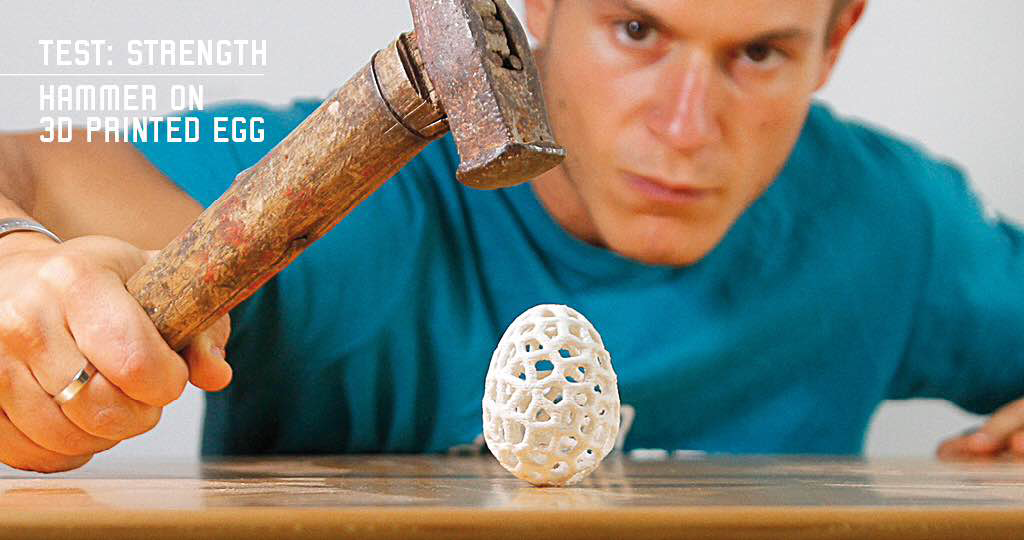
Best for: mechanical parts, enclosures, high-heat environments
Pros:
- Tough and impact-resistant
- Good heat resistance (~100°C)
- Can be post-processed with acetone for smooth finishes
Cons:
- Warps easily, requires enclosure
- Strong fumes – ventilation is a must
[Insert photo of an enclosure setup for printing ABS]
💡 I only use ABS with a closed chamber and good air filtration—don’t try it on an open printer.
🔧 ABS Print Settings – Ideal Configuration Table
| Setting | Recommended Range | Notes & Tips |
|---|---|---|
| Nozzle Temperature | 230°C – 260°C | 245°C is a common sweet spot. Higher temps improve layer bonding. |
| Bed Temperature | 90°C – 110°C | 100°C is ideal. Let the bed preheat fully. |
| Print Speed | 40 – 60 mm/s | Keep speeds moderate to avoid layer separation. |
| Layer Height | 0.1 – 0.28 mm | 0.2 mm is a safe default. Thinner layers give better finish. |
| Retraction Distance | 4 – 6 mm (Bowden) / 1 – 3 mm (Direct Drive) | Like PETG; tweak based on stringing. |
| Retraction Speed | 25 – 40 mm/s | Slower = fewer blobs. ABS likes gradual changes. |
| Cooling Fan | 0% – 20% | Minimal cooling—ABS needs retained heat to prevent cracks. |
| Bed Adhesion Method | ABS slurry, Kapton tape, glue stick, PEI | Avoid warping with a strong first layer bond. |
| Flow Rate | 95% – 102% | Check each brand. Too low = weak prints, too high = blobs. |
| First Layer Height | 0.2 – 0.3 mm | More gap helps reduce elephant’s foot. |
| First Layer Speed | 15 – 25 mm/s | Slow and steady. ABS is sensitive to sudden cooling. |
| Enclosure | ✅ Recommended (Strongly) | Helps keep heat and avoid layer splitting or warping. |
💡 Pro Tips from My Experience
- 🔥 Keep your print warm. ABS is sensitive to temperature changes. If you don’t have an enclosure, build a DIY one—I made mine from an IKEA Lack table and some acrylic sheets.
- 🏠 Drafts ruin everything. A small breeze from a window or AC can cause warping or layer cracking. I’ve had tall prints split right in the middle!
- 🧪 ABS slurry still works. It’s messy, but applying a little ABS dissolved in acetone helps big time for bed adhesion.
- 🧯 Print smell? ABS smells like burnt plastic. Always print in a ventilated room. I use a carbon filter or print when I’m not around.
- 💥 Warping is still a thing. A good brim (8–10 lines wide) can be a lifesaver. I learned this the hard way with a corner that kept lifting off after 3 hours.
ABS – My Recommended ABS on Amazon
When I need durability and heat resistance, ABS is my first pick. These are brands that worked really well for me:
- Hatchbox ABS – 1kg Black – Very solid and resistant, perfect for functional parts that take stress.
- Overture ABS – 1kg Spool – Prints reliably if you have an enclosure. Excellent for mechanical projects.
- eSun ABS+ – Improved Formula – Less warping compared to standard ABS, which makes it easier to work with.
🟠 TPU (Thermoplastic Polyurethane) – The Flexible One
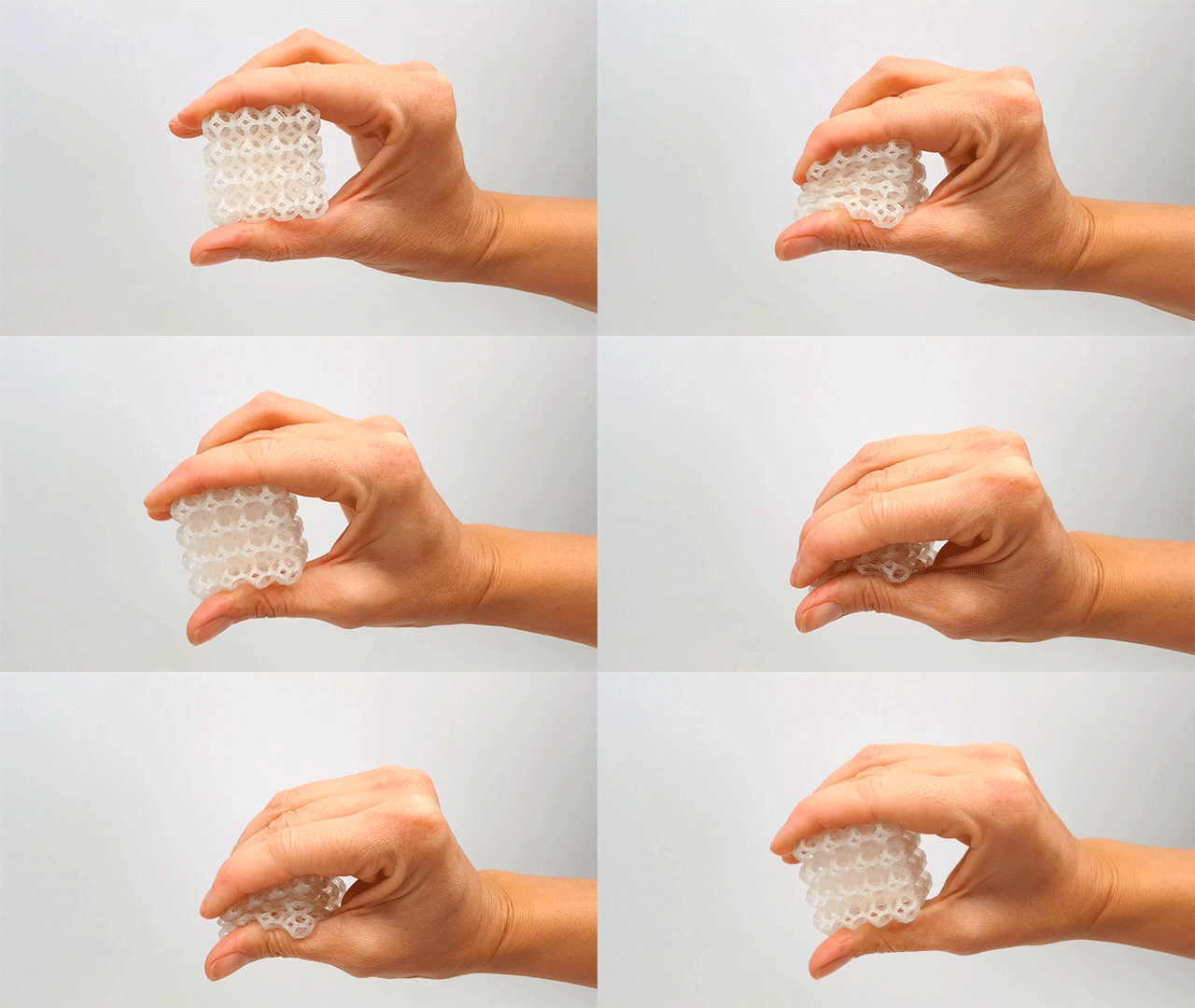
Best for: gaskets, phone cases, wearables, shock-absorbing parts
Pros:
- Flexible, bendable, and durable
- Good layer bonding
- Impact-resistant
Cons:
- Requires slow print speeds
- Harder to manage on Bowden setups
💡 Once you dial in the settings, TPU becomes incredibly fun and rewarding to print with.
🧵 TPU Print Settings – Ideal Configuration Table
| Setting | Recommended Range | Notes & Tips |
|---|---|---|
| Nozzle Temperature | 220°C – 240°C | 230°C is a reliable middle ground. Too hot = stringing. |
| Bed Temperature | 40°C – 60°C | Many brands work even without heat, but 50°C improves adhesion. |
| Print Speed | 15 – 30 mm/s | Slow is key! The softer the TPU, the slower you should go. |
| Layer Height | 0.1 – 0.28 mm | 0.2 mm is a great balance of detail and speed. |
| Retraction Distance | 1 – 3 mm (Direct Drive) | Reduce retraction to avoid filament jamming. |
| Retraction Speed | 10 – 25 mm/s | Keep it low. High speeds stretch and deform TPU during retraction. |
| Cooling Fan | 20% – 50% | Moderate cooling helps surface finish, but don’t overdo it. |
| Bed Adhesion Method | Glue stick, PEI, painter’s tape | Avoid over-adhesion that can stretch the part during removal. |
| Flow Rate | 105% – 115% | TPU expands—slight over-extrusion helps avoid gaps. |
| First Layer Height | 0.2 – 0.3 mm | A wider first layer ensures better adhesion and squish. |
| First Layer Speed | 10 – 20 mm/s | Take it slow to prevent skipping or dragging. |
| Enclosure | Optional | Not essential but helps with consistency in cold environments. |
💡 Pro Tips from My Experience
- 🐌 Slow = smooth. The biggest mistake with TPU is rushing. I once printed a phone case too fast and ended up with a spaghetti mess.
- 🧵 Control your filament path. TPU hates resistance. I always guide it straight from spool to extruder—no sharp bends or tension.
- 🔧 Use direct drive if possible. Bowden setups can work, but need a lot of tuning. I’ve had much better luck after switching to direct drive.
- 📐 Calibrate your esteps. TPU compresses inside the extruder. I noticed better consistency after calibrating esteps with TPU itself.
- 🧽 Post-processing can be tricky. TPU doesn’t sand well, but you can clean stringing with a lighter. Just a quick pass—don’t melt it!
TPU – My Recommended TPU on Amazon
Printing flexible parts is always fun with TPU, and these brands gave me the best experience:
- Overture TPU – 1kg Black – My top choice for flexible prints; works smoothly once you tune your printer.
- NinjaFlex TPU – 0.5kg – Premium quality with incredible elasticity. Great for phone cases and wearables.
- Sunlu TPU – 1kg Spool – Affordable choice that still gives consistent flexibility and strength.
⚫ Nylon – Industrial Strength
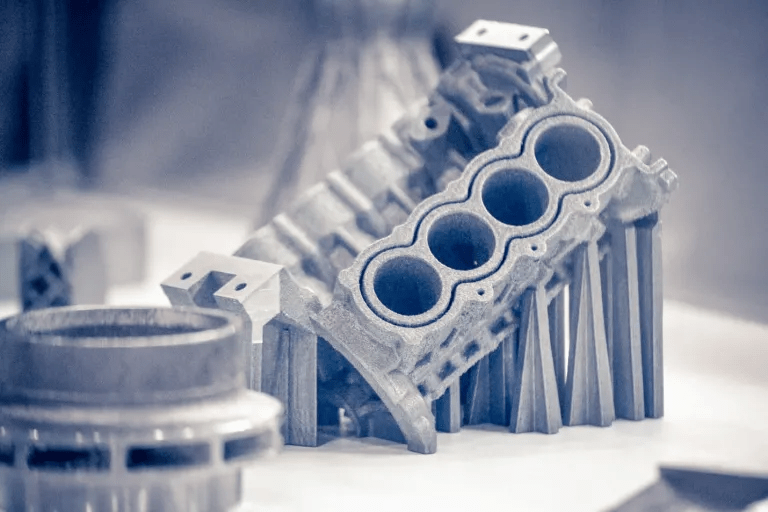
Best for: gears, hinges, high-strength parts
Pros:
- Extremely strong and wear-resistant
- Flexible yet tough
- Excellent chemical resistance
Cons:
- Absorbs moisture quickly
- Needs high print temperatures and a dry box
[Insert image of filament in a dry box or vacuum sealed bag]
💡 Nylon needs to be bone-dry. I bake mine before big prints or store it with desiccant.
🧵 Nylon Print Settings – Ideal Configuration Table
| Setting | Recommended Range | Notes & Tips |
|---|---|---|
| Nozzle Temperature | 240°C – 270°C | Nylon needs high temps. I usually print at 255°C for consistent results. |
| Bed Temperature | 60°C – 90°C | I’ve found 70–80°C gives great adhesion without warping. |
| Print Speed | 30 – 60 mm/s | Moderate speeds work best—too fast and you’ll lose layer adhesion. |
| Layer Height | 0.1 – 0.2 mm | Go finer if you need strength and detail. |
| Retraction Distance | 3 – 5 mm (Bowden) / 1 – 3 mm (Direct Drive) | Keep it short with direct drive. Nylon can string like crazy. |
| Retraction Speed | 20 – 30 mm/s | Avoid too high speeds or you’ll grind the filament. |
| Cooling Fan | Off or <20% | Nylon needs heat to fuse layers properly. Too much cooling weakens prints. |
| Bed Adhesion Method | Glue stick, Garolite, Magigoo | I use a glue stick over PEI for solid adhesion without damage. |
| Flow Rate | 100% – 105% | Watch for under-extrusion on bridges. |
| First Layer Height | 0.2 – 0.3 mm | Thicker first layer = better bonding on tricky surfaces. |
| First Layer Speed | 15 – 25 mm/s | Slow and steady wins the race. |
| Enclosure | Highly recommended | Drafts = warping. An enclosure changed my Nylon success rate dramatically. |
| Drying Required | Yes – 6h at 70–80°C before use | Nylon is super hygroscopic. Always dry it before printing! |
💡 Pro Tips from My Experience
- 🧴 Dry or die. The first time I printed Nylon without drying it, I thought something exploded. It hissed and bubbled. Now I dry it every time for 6 hours before use.
- 🧱 Warping is real. Even with a heated bed, Nylon loves to warp. I print on a glue stick–coated bed and keep the room warm.
- 🧰 Excellent for functional prints. I’ve made gears and hinges that still hold up after months of use. Nylon’s strength and flexibility are unmatched.
- 🧵 Watch for oozing. Nylon tends to string a lot. I always do a retraction calibration print when switching spools.
- 📦 Storage is everything. I keep mine in airtight containers with silica gel. Even overnight exposure can ruin your prints.
Nylon – My Recommended Nylon on Amazon
When I need parts that can really take stress, nylon is my pick. These spools have worked well for me:
- eSun Nylon – 1kg Spool – Strong, reliable, and prints beautifully when kept dry.
- Overture Nylon – Black 1kg – Excellent toughness and durability; my go-to for functional parts.
- Taulman Nylon 910 – 1kg – Industrial-grade quality, fantastic strength, perfect for heavy-duty projects.
📌 Nylon is one of the most rewarding filaments when tuned properly, but it punishes laziness. If you’re just starting with it, start small and don’t skip drying.
🎯 Summary Table
| Filament | Strength | Flexibility | Ease of Use | Temp. Resistance | Best For |
|---|---|---|---|---|---|
| PLA | Medium | Low | ⭐⭐⭐⭐⭐ | ~60°C | Prototypes, models |
| PETG | High | Medium | ⭐⭐⭐⭐ | ~80°C | Functional parts |
| ABS | High | Medium | ⭐⭐⭐ | ~100°C | Enclosures, mechanical parts |
| TPU | Medium | High | ⭐⭐ | ~70–80°C | Gaskets, wearables |
| Nylon | Very High | Medium | ⭐ | ~120°C+ | Hinges, gears |
🧠 Final Thoughts
Choosing the right filament isn’t just about specs. It’s about matching material properties to your project goals. Consider your printer’s capabilities and even your local climate. Over the years, I’ve found that even small differences between brands can lead to completely different print results. This is especially true with trickier materials like TPU, PETG, or ABS.

🧪 Whether it’s warping with ABS, stringing with PETG, or layer bonding with PLA, there’s no one-size-fits-all answer. It takes experimentation, patience, and sometimes going back to the drawing board. But once you find that sweet spot, your prints go from “okay” to “flawless.”
💬 What’s your go-to filament and why? Have you discovered any underrated brands, or battle-tested settings that just work? Share your thoughts below—I’d love to hear your stories, settings, or questions.
Let’s keep learning and leveling up together—one spool at a time.
Affiliate Disclaimer:
Some of the links in this article are affiliate links. This means I may earn a small commission if you buy through them, at no extra cost to you. I only recommend products I personally use and trust.
💬 What Do You Use?
Have a favorite filament? Did a certain material save your print?
👉 Drop your stories or questions in the comments—we love hearing what works for other makers.


Leave a reply to Top 10 3D Printing Upgrades That Actually Make a Difference (Tested & Recommended for 2025) – 3DPrintips Cancel reply